Stage 1 meteorite candidates review
Introduction
How to use the interface
You can select promising meteorite candidates by either clickling on them or using the numpad on your keyboard. Selecting one will toggle a blue border around it.
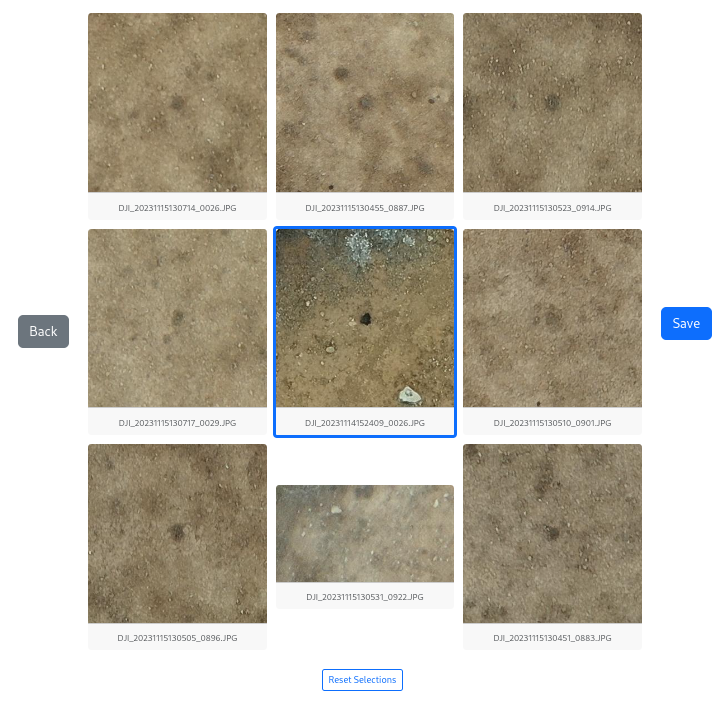
The 3x3 grid of tiles is mapped to the keyboard numpad like so:
| 7 | 8 | 9 |
|---|---|---|
| 4 | 5 | 6 |
| 1 | 2 | 3 |
Once you have selected all of the promising meteorite candidates, hit Save or enter on the keyboard.
Back button
Have you hit Save accidently too early, want to go back?
That’s what the Back button is for.
Note: you can only go back to the previous panel, not the ones before that.
What is a promising meteorite candidate in stage 1?
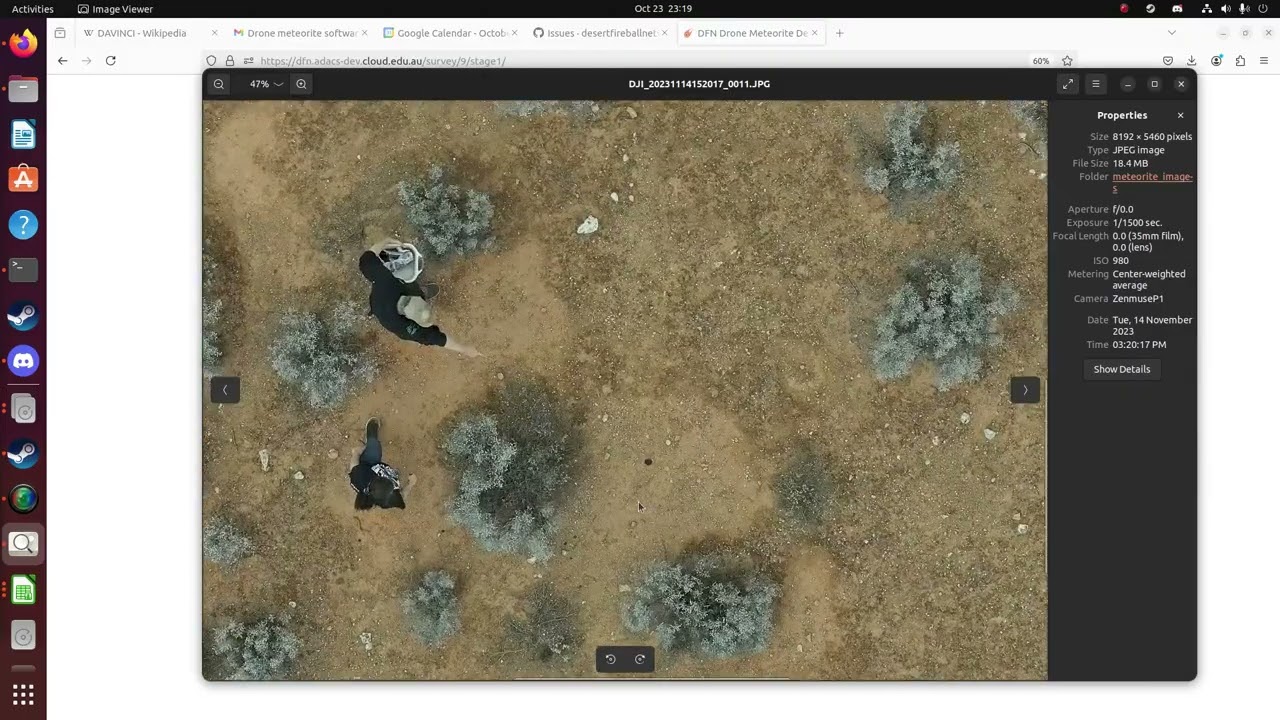
Watch Seamus’ video:
To get an idea of what candidates that should not be dismissed look like, figure 5 from Anderson+ 2022:
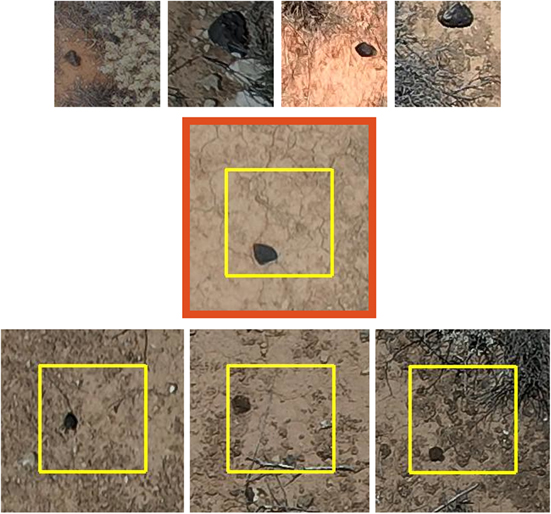
- TOP ROW: Real meteorites we used to train the ML model
- MIDDLE: DFN09 Kybo-Lintos
- BOTTOM: False positives we had to verify in person (the middle being the least convincing)